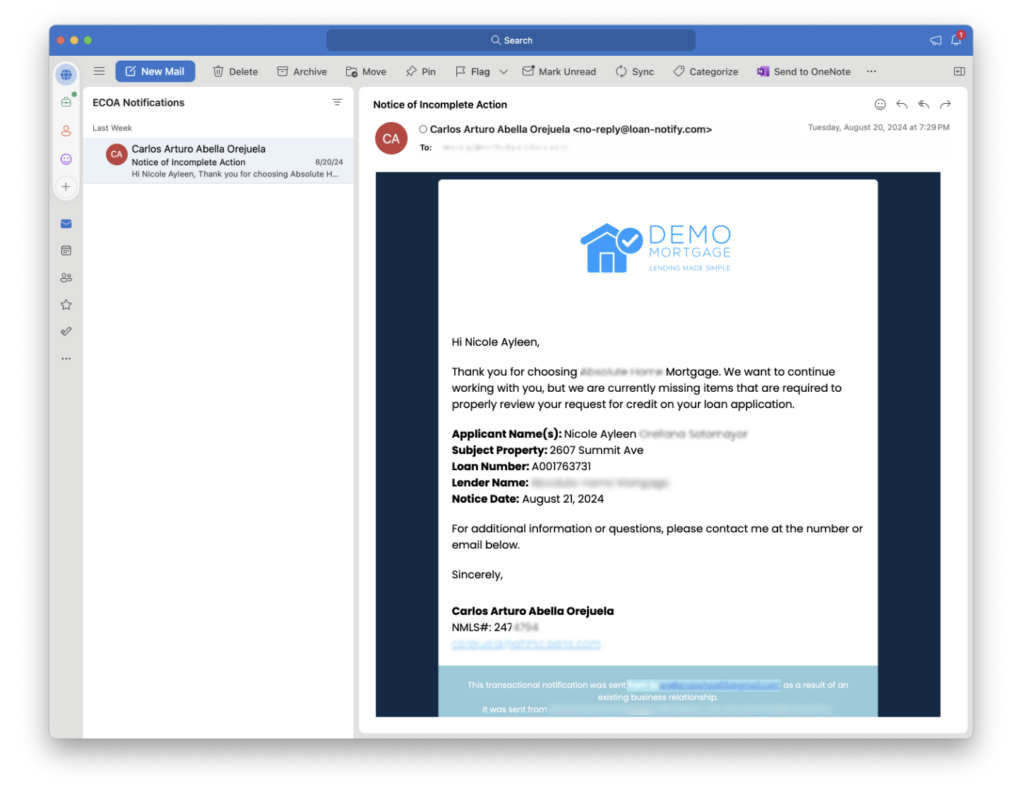
When the Mortgage Mind application has been turned on for your organization, there are a couple of things you need to know:
The ECOA notifications you receive in your inbox are being generated by rules your Encompass Administrator has configured for your organization.
You will receive an email from no-reply@mortgagemind.ai and the email subject will be: Loan Action Required and it’s very important that you take action on this email!
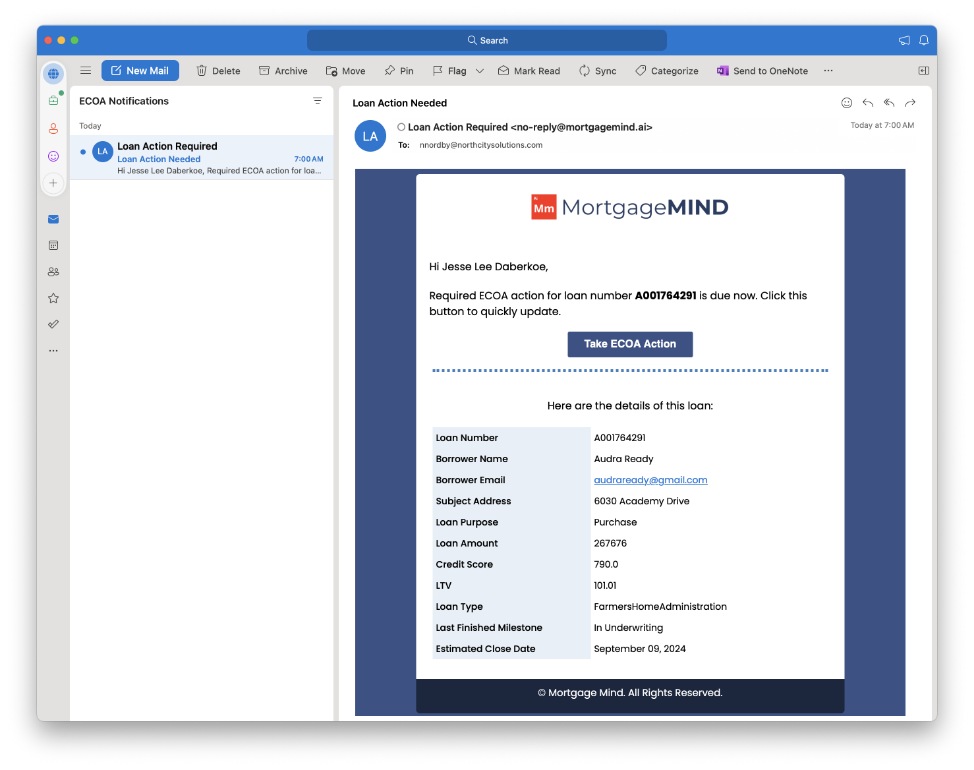
By responding to this email, you are ensuring that your company is complying with the rules and regulations regarding the Equal Credit Opportunity Act and will help to protect your company against penalties if the rules aren’t followed.
When you click the Take ECOA Action button in the email, you will be directed to a landing page that looks like this:
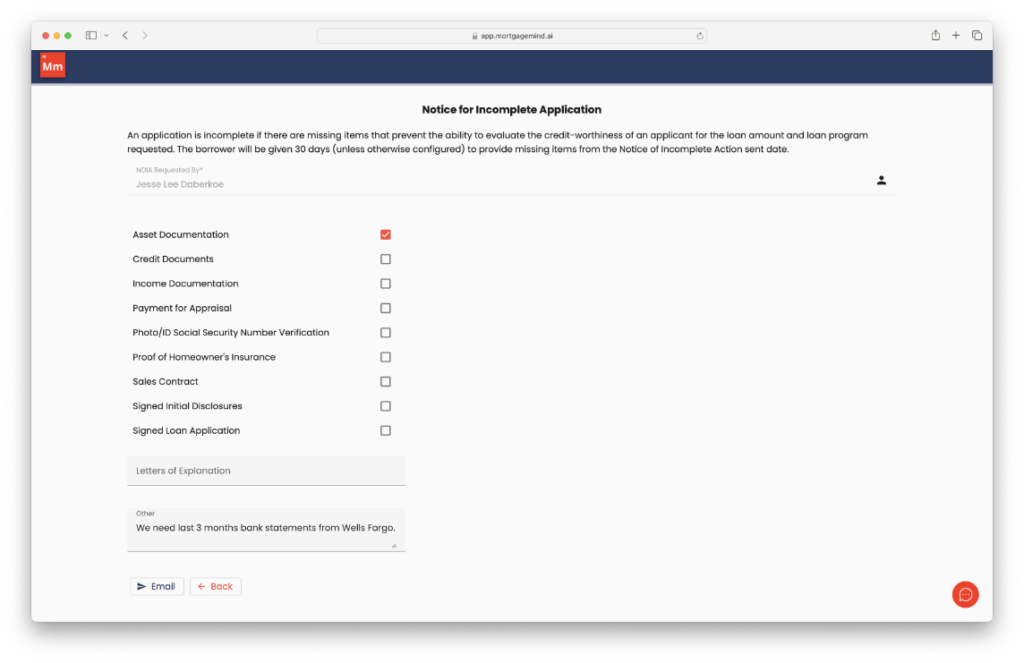
From this page, you can select the items that you know you are missing for this borrower. There are two areas you can use to create custom messages for your borrowers:
1. Letters of Explanation
2. Other
Once you have selected the items you know you are missing, you can hit the Email button and an email will be immediately generated and delivered to your borrower.
The emails your borrowers will receive will be coming from your name with your information included and any of the items you selected in the previous step.